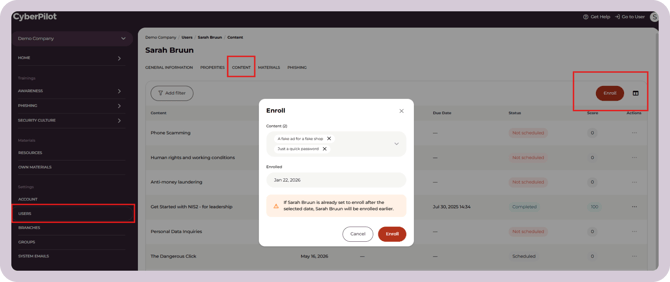
One-off enrollments
Enrolling training to a specific user at a specific time should be done outside of the training planner. You can do this on a user's profile.
- Under "Settings" click on "Users"
- Click on the user you want to enroll the course(s) to
- Click "Content" along the top menu
- Click "Enroll"
- Select the course(s) to enroll from the drop-down menu
- Set an enrollment date
- Click "Enroll" to save