
One of the most effective ways to detect phishing threats early is to have users report suspicious emails.
In this article, you can see how to integrate your report button in Defender with CyberPilot
It helps your IT team spot potential phishing attempts faster, reduce risk and protect your organization.
A simple way to increase reporting is to show users a custom confirmation message when they submit a report. It makes the experience feel more personal and encourage people to keep reporting.
This message doesn’t need to be long - just a quick thank you and a reminder that their action makes a difference.
Below you’ll find instructions for setting up a custom message, with an example you can use or tweak.
How to set up custom messages in Defender
- Go to Submissions (in your Microsoft Defender)
- Go to User Reported settings
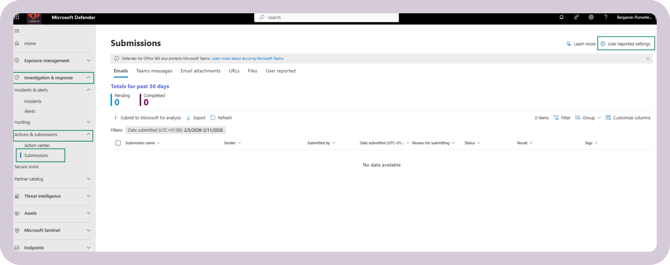
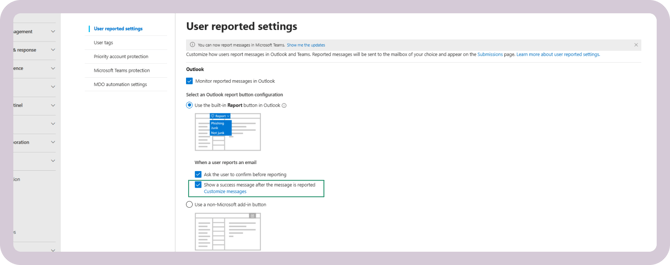
- Customize the message the user will get when they report an email as phishing by going to Customize messages
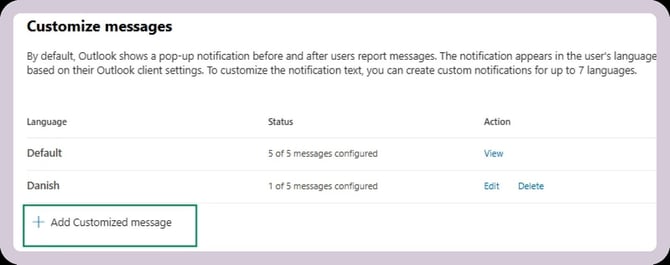
- Click Add Customized message
- Choose the language that the user will receive the message in
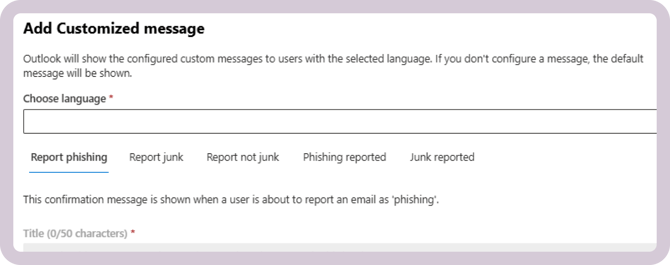
- Add the message to be shown before an email is reported as phishing
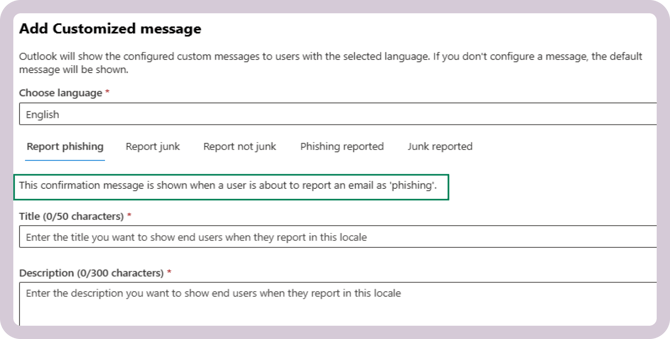
Here's an example of what you could insert:
Title:
Thank you for helping keep us secure!Description:
By reporting suspicious messages, you help strengthen our security. IMPORTANT: If you have interacted with the email in any way (downloaded something, clicked a link, or submitted some data, it is important that you also xxx. (insert desired action)
Thank you for staying alert! - Add the message to be shown after an email is reported as phishing
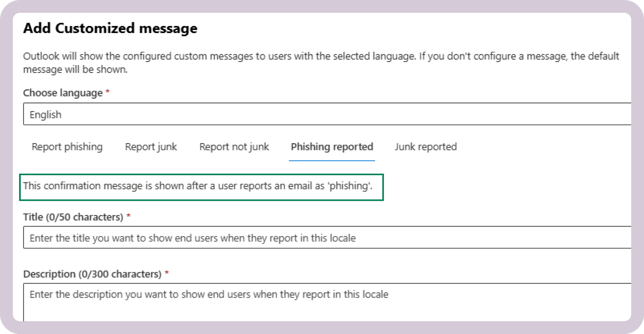
Here's an example of what you could insert:
Title:
You made a differenceDescription:
The message has been reported and will be reviewed. Every report strengthens our defenses and helps protect your colleagues. Thank you for taking action.