When running company-wide phishing simulations, there are users who click and submit data, which makes them vulnerable. These users are grouped in the “phishing vulnerable” group.
Our statistics show that more training reduces the overall click and data submission rates for end users. With individualized training, we help you bring these down as quickly and precisely as possible.
How individualized training supports you
When this feature is activated, your vulnerable users will receive individual phishing simulations based on their specific history.
This helps you ensure that your vulnerable users are trained in the most relevant phishing simulations for them and at a higher frequency.
Who is individualized phishing training relevant for?
It’s relevant for Auto Phishing customers, who run 6 or more phishing simulations per year.
How individualized phishing training works
With individualized training, users in the phishing vulnerable group receive a phishing simulation every 14 days (on average) until they are no longer part of the group.
The system automatically checks each day which users are in the Phishing Vulnerable Group.
For those users, it looks at:
- When they last received a phishing simulation
- When their next planned phishing simulation is scheduled
An extra phishing simulation is only scheduled if:
- The user received their last phishing simulation at least about 14 days ago
- The user’s next planned phishing simulation is at least about 14 days away
If the user recently received a phishing email, or is about to receive one soon, the system will wait before sending another phishing simulation.
This helps high-risk users improve without overwhelming them with too many emails.
Where you can see what simulations a user receives
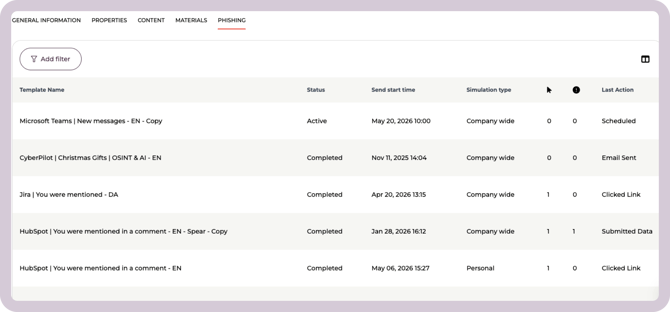
You can see draft, scheduled, live and completed simulations when navigating to a specific user. Go to Users → Select a user from your user list → Phishing. Here you will see a list of the user's simulations.
Where you can see all individualized simulations
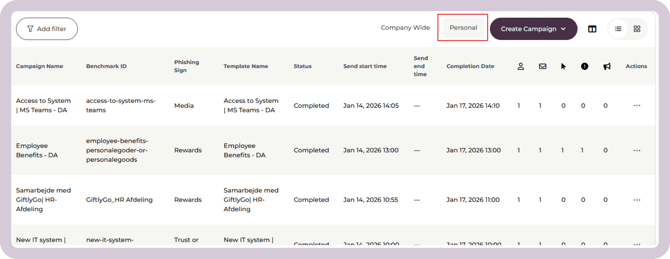
You can see all the individual simulations from the Campaigns overview by clicking on the tab for personal simulations.
How to activate the feature
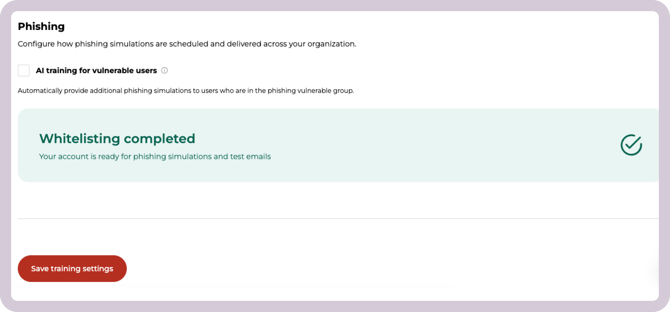
You can activate the feature by going to Account settings → Training Settings → Phishing.
Then check the box to enable AI training for vulnerable users.
And remember to click Save training settings.